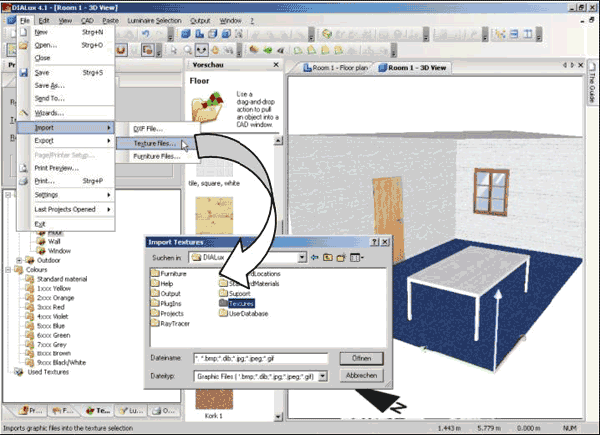
You can insert your own textures or images into the texture tree. DIALux supports files in *.bmp, *.dib, *.jpg and *.gif-format.
Textures can be inserted via Drag & Drop into the texture tree. To import a new texture into the texture tree, open the texture tree and start the Windows Explorer. Now you can drag the image file from the Windows Explorer into the wanted directory of the texture tree. DIALux automatically converts the image file into the needed format. The reflection factor is calculated using the RGB-values. The size defaults to 1m x 1m. You should check these values and correct them if necessary.
With the menu File → Import → Texture Files you can use a dialogue to copy the textures into a directory of the texture tree.
Fig. 127 Import textures into DIALux
Within the colour tree textures can be moved, copied or deleted. Also subfolders can be created or deleted. Just make a right click on the desired object.