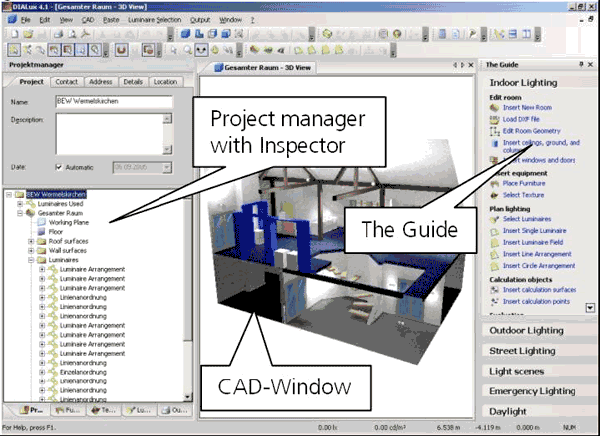
DIALux has adopted the user interface of Windows XP. Dynamic settings of the toolbar, the new and much more comprehensive Guide, simpler dialogues to guide the user all make working much easier and much faster.
Fig. 31 DIALux user interface
The DIALux user interface is divided into three main work areas.
• CAD window
• Project manager with Inspector
• The Guide
These three work areas enable effective and clearly arranged planning of lighting installation with DIALux. In each of these areas you can access certain software functions or edit objects. The Project manager includes the Inspector and the respective tree structure (project, furniture, colour, luminaire, and output).