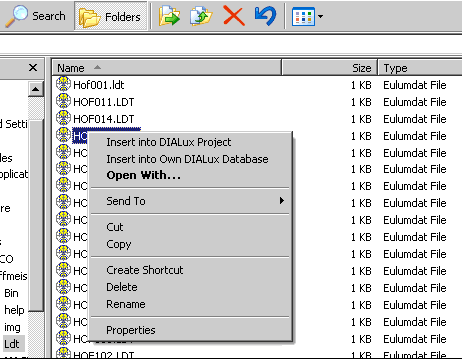
Fig. 41 Explorer context menu whilst DIALux 4.5 is running
When DIALux is running in the background, you can search any desired directories for luminaire data and import them to the current DIALux project, or you can insert them into your own database (right-click on the file). DIALux supports the following formats:
• Eulumdat (ldt)
• CIBSE TM14
• IES (all variations)
• LTLi